
Model Reference
Electrolux EMBD3010AS Troubleshooting Guide | Los Angeles Repair
This page is a repair reference for Electrolux EMBD3010AS, categorized as a Microwave on the source model directory. Model-specific diagnosis matters on Electrolux appliances because the same owner complaint can come from different systems on different production platforms.

Model number
EMBD3010AS
Appliance category
Microwave
About this model
Model overview
About this Electrolux model
This page is a repair reference for Electrolux EMBD3010AS, categorized as a Microwave on the source model directory. Model-specific diagnosis matters on Electrolux appliances because the same owner complaint can come from different systems on different production platforms.
The purpose of this page is troubleshooting and service preparation, not retail specification copying. Do not fill missing information with features from a newer or visually similar Electrolux model. Use the rating label and model-specific documentation whenever a procedure, part number, electrical value, gas specification, or installation requirement matters.
For a Los Angeles service visit, send the model number and a photo of any display message with the booking request. That gives the technician a narrower starting point before arrival.
Start with what the appliance is doing
Before changing settings or resetting power, write down what the appliance is doing. On EMBD3010AS, useful observations include:
- Heats weakly or not at all — record whether the turntable and fan still operate while food remains cold.
- Shows an error message — record the exact characters, the operating mode, and what happened immediately before the message appeared.
- Does not start — record whether the display is alive, whether the door closes normally, and whether Start produces any response.
- Vent fan runs unexpectedly — record whether the fan begins after cooking, during heavy cooktop heat, or with no recent use.
- Control panel is unresponsive — record which keys still react and whether the problem changes after one normal power reset.
- Turntable does not rotate — record whether the tray is seated correctly and whether the drive stops only under load.
The most useful description is chronological. Instead of “it stopped working,” note what started normally, what changed next, whether a sound or display message appeared, and which function failed to complete.
If the problem is intermittent, photograph or record the display before resetting anything. Intermittent behavior can disappear during a service visit, so preserving the sequence is part of diagnosis.
Homeowner checks that add diagnostic value
Work from the outside in. These checks are intended to rule out installation, loading, airflow, water, door, or simple power conditions without opening the appliance or bypassing safety devices.
- Clean and dry the exterior control surface; do not flood the keypad with cleaner.
- Remove and reseat the turntable, support ring, and tray if the complaint involves rotation.
- Open and close the door normally, making sure packaging or food is not interfering with the latch area.
- Confirm the appliance is receiving power and that the household breaker has not tripped.
- Check that accessible intake and exhaust openings are not blocked by stored items or heavy grease.
After the safe checks, perform no more than one controlled retest. If the same symptom returns, keep that repeatable pattern for the technician instead of cycling power over and over.
Stop conditions
Do not remove the outer microwave cabinet. High-voltage components can retain dangerous energy even after the microwave has been unplugged. Stop use for arcing, smoke, a burning odor, door damage, or repeated overheating.
These limits matter because a model page should help distinguish owner-observable checks from work that requires service access, electrical measurements, gas testing, refrigerant tools, or manufacturer diagnostic procedures.
What professional testing may cover
If the external checks do not explain the complaint, diagnosis on EMBD3010AS may move through the following component groups depending on the symptom sequence:
- Turntable drive
- Temperature or gas-sensing path on applicable models
- Convection or ventilation system where fitted
- Door-interlock and latch sensing
- User-interface and low-voltage control
- High-voltage heating system
That list is not a recommendation to replace those components. It is a map of systems that may need to be tested. A failed connector, harness, installation condition, supply problem, mechanical restriction, or secondary sensor can imitate a failed board or major assembly.
Diagnostic principle
The technician should verify the symptom first, reproduce it when safe, and then test the system that logically controls that stage of operation. Parts replacement should follow the measurement, not the other way around.
Error-code context for EMBD3010AS
If EMBD3010AS displays a code, record it exactly as shown before resetting power. Use the related Electrolux microwave error-code hub only as a starting point. A code should be linked to this model only when the control platform or model documentation confirms that meaning; Electrolux can reuse similar characters across product families and generations.
If a code disappears after one reset but returns during the same operating stage, treat that as an unresolved fault. The repeated timing often adds more diagnostic value than the fact that the display temporarily cleared.
Diagnostic focus
For EMBD3010AS, begin by separating heats weakly or not at all from shows an error message. For the first symptom, record whether the turntable and fan still operate while food remains cold. For the second, record the exact characters, the operating mode, and what happened immediately before the message appeared. Those observations should be kept separate even if they occur during the same use cycle, because they may point to different systems.
Do not assume the second symptom is caused by the first. A technician can compare both observations against the turntable drive, temperature or gas-sensing path on applicable models, and convection or ventilation system where fitted before deciding which circuit actually failed.
This focused route does not mean those are the only possible problems on EMBD3010AS. It gives the page a model-specific troubleshooting direction without pretending that a component has failed before it is tested.
What to note for the service visit
- whether the symptom is constant or intermittent
- the operating stage where it begins
- any exact display message
- unusual noise, odor, heat, leaking, weak airflow, weak water flow, or abnormal movement
- whether the appliance had recent installation or repair work
- whether a normal power interruption or breaker event happened before the problem
- whether one safe reset changed anything.
Why exact parts identification matters
Use EMBD3010AS from the appliance rating label when looking up parts or service documentation. A symptom alone is not enough to select a control board, sensor, motor, pump, valve, heater, latch, fan, compressor component, or other major assembly.
Production revisions can matter. Before ordering a part, confirm the complete model identifier, any applicable serial or revision information, the diagnosed failure, and the correct service documentation.
Avoid using a replacement model's parts list or features to fill gaps. A current product that looks similar can have a different electrical architecture, control strategy, connector layout, or component revision.
When repair still makes sense
A single verified component failure can still make repair reasonable when the rest of the appliance is in good condition. Replacement becomes more compelling when several major systems are failing, structural damage is present, or essential parts are no longer practical to source.
A professional estimate should identify the diagnosed fault and the proposed repair rather than presenting a generic list of “common parts.”
When professional repair is the next step
Schedule Electrolux microwave repair in Los Angeles if the safe checks are normal but the problem returns, the appliance cannot complete its normal function, or any stop condition above is present.
For EMBD3010AS, provide:
- model number: EMBD3010AS
- appliance type: Microwave
- exact symptom or error message
- when the problem occurs
- whether it changes after one normal reset
- any recent installation, electrical, water, venting, or service changes.
That information lets the service visit start with a model-specific diagnostic branch instead of a generic parts swap.
Common owner questions
Should I order a control board or sensor for EMBD3010AS before testing?
No. Major electronic and sensing parts should be selected only after the fault is verified and the exact model/revision information is checked.
Can I diagnose EMBD3010AS from the symptom alone?
Usually not. Use the symptom to choose a diagnostic branch, then confirm the failure with model-appropriate testing before naming a part.
What should I provide when booking repair for EMBD3010AS?
Provide the complete model number, the exact symptom or display message, when it occurs, and the safe external checks already completed.
Can I use an Electrolux error-code guide from another model?
Only when the same control family or documented platform is confirmed. Matching the Electrolux name or the same display characters is not enough.
Electrolux EMBD3010AS repair in Los Angeles
If your Electrolux EMBD3010AS keeps showing the same symptom, book a model-specific diagnosis in Los Angeles. The repair process should verify the failed system, explain the findings, and confirm the proposed work before parts are installed.
Get it fixed
Recommended repair service
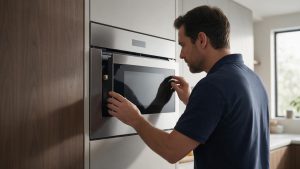
Electrolux Microwave Repair in Los Angeles
Electrolux microwave repair in Los Angeles for door, keypad, vent, convection, sensor, turntable, power, and heating problems. Confirm coverage by ZIP.
Model-information disclaimer. Confirm your exact model number and specifications with your appliance documentation before booking a repair. Model pages are for identification and compatibility reference.
FAQ
Frequently asked questions
You submit a request with your appliance model and symptom, we confirm an appointment window, and a technician performs an on-site diagnosis. You then receive a clear estimate and decide whether to proceed before any repair begins.
Yes. We provide an upfront estimate after diagnosis. No parts are ordered or installed until you approve the work, so there are no surprise charges.
Replacement parts are selected for the exact model and confirmed with you before ordering or installation.
Service areas are listed on the Locations page. Contact us with your ZIP code to confirm current coverage for your address.
Book a repair
Tell us what’s wrong — we’ll take it from there
Share a few details and we’ll confirm an appointment. Prefer to talk? Call us and we’ll help right away.
Phone
(310) 361-3405
Email
electroluxla@gmail.com
Hours
Monday–Sunday: 8:00 AM – 8:00 PM
Service area
Los Angeles and Orange County
Request your repair
Fields marked with * are required.